My Role
I worked as a Junior UI/UX Designer, contributing to screen design, user flow mapping, and interaction clarity under the guidance of a Associate Practice Lead. I referred to the official JHAH website to align with their brand tone.
The Challenge
Hospital visits were previously handled manually, creating long queues, paper-based approvals, and confusion for external visitors and vendors. The organization needed a digital visitor management system to:
Allow self-registration for different visitor types
Enable secure login and appointment scheduling
Provide QR-based entry validation
Support admin-side review and approval
Discovery & Insights
I analyzed their public-facing website and found no mobile flow or appointment integration.
User personas included citizens, Gulf visitors, vendors, and gate security staff—each with different needs.
Business constraints required OTP-based login, role-based flows, and digital traceability of visits.
The Solution
We designed a mobile-first app that enables visitors and admins to manage appointments with ease.
Key Screens
✅ Registration Flow
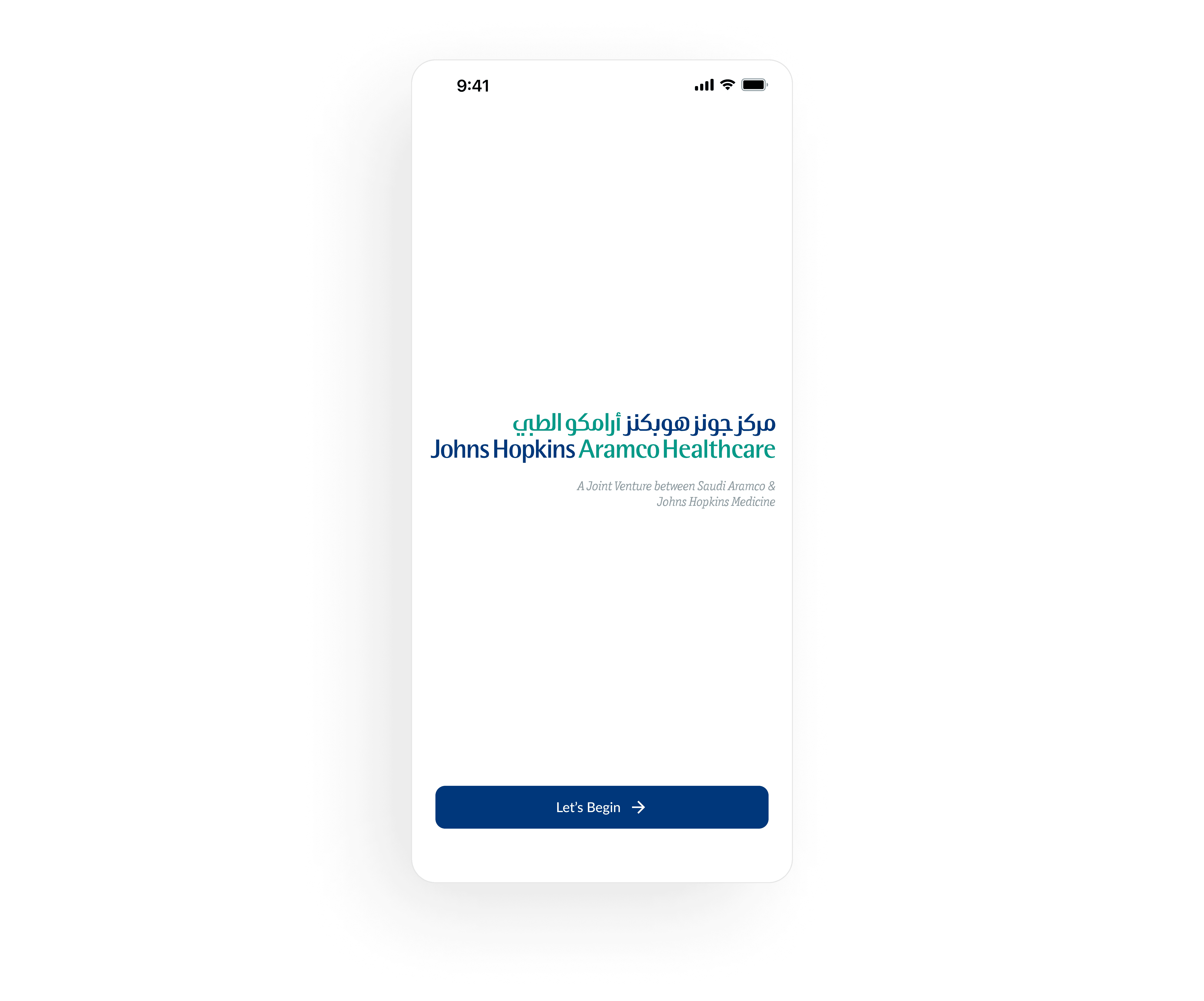
Landing Page: Welcomes users with trusted branding.
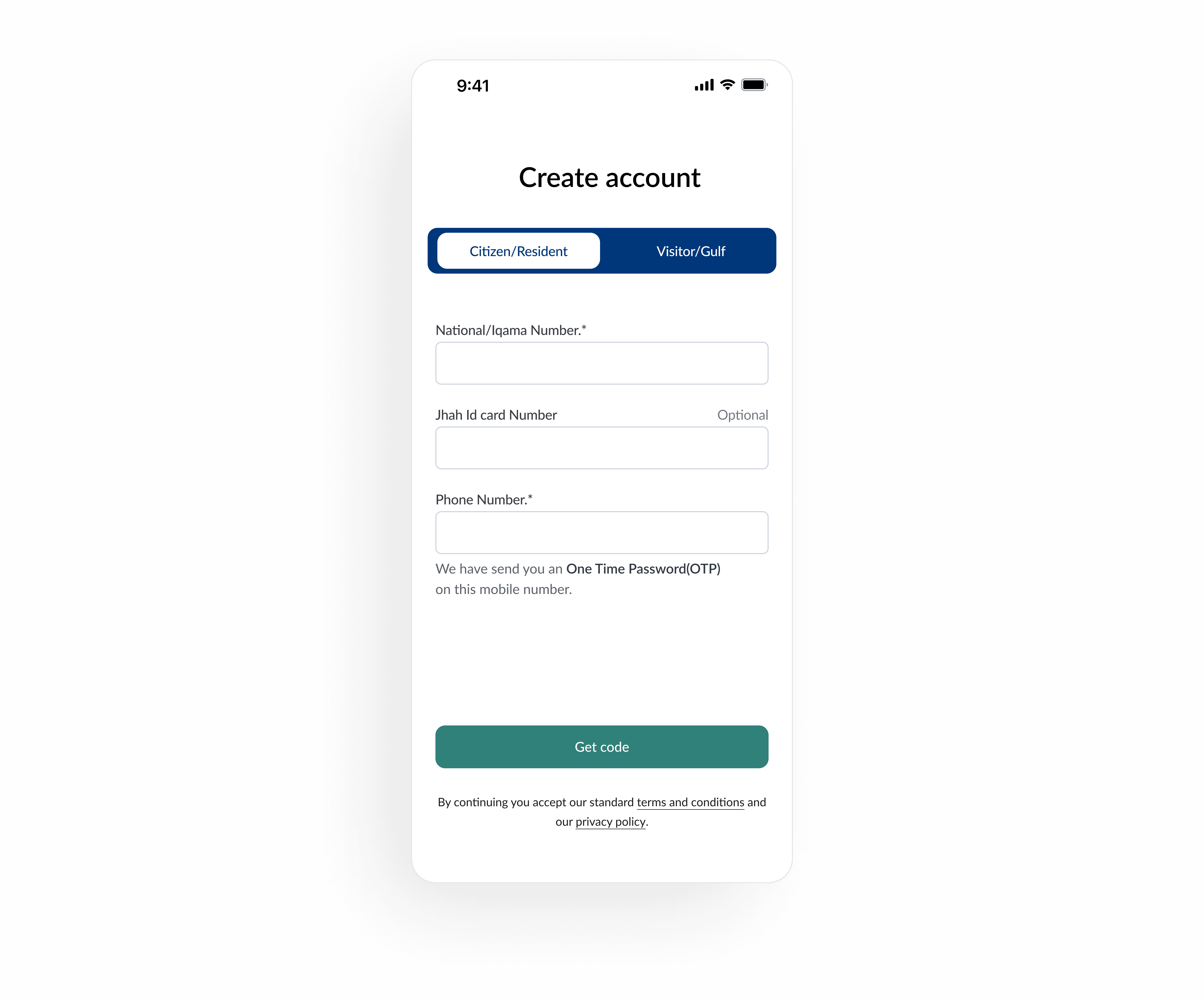
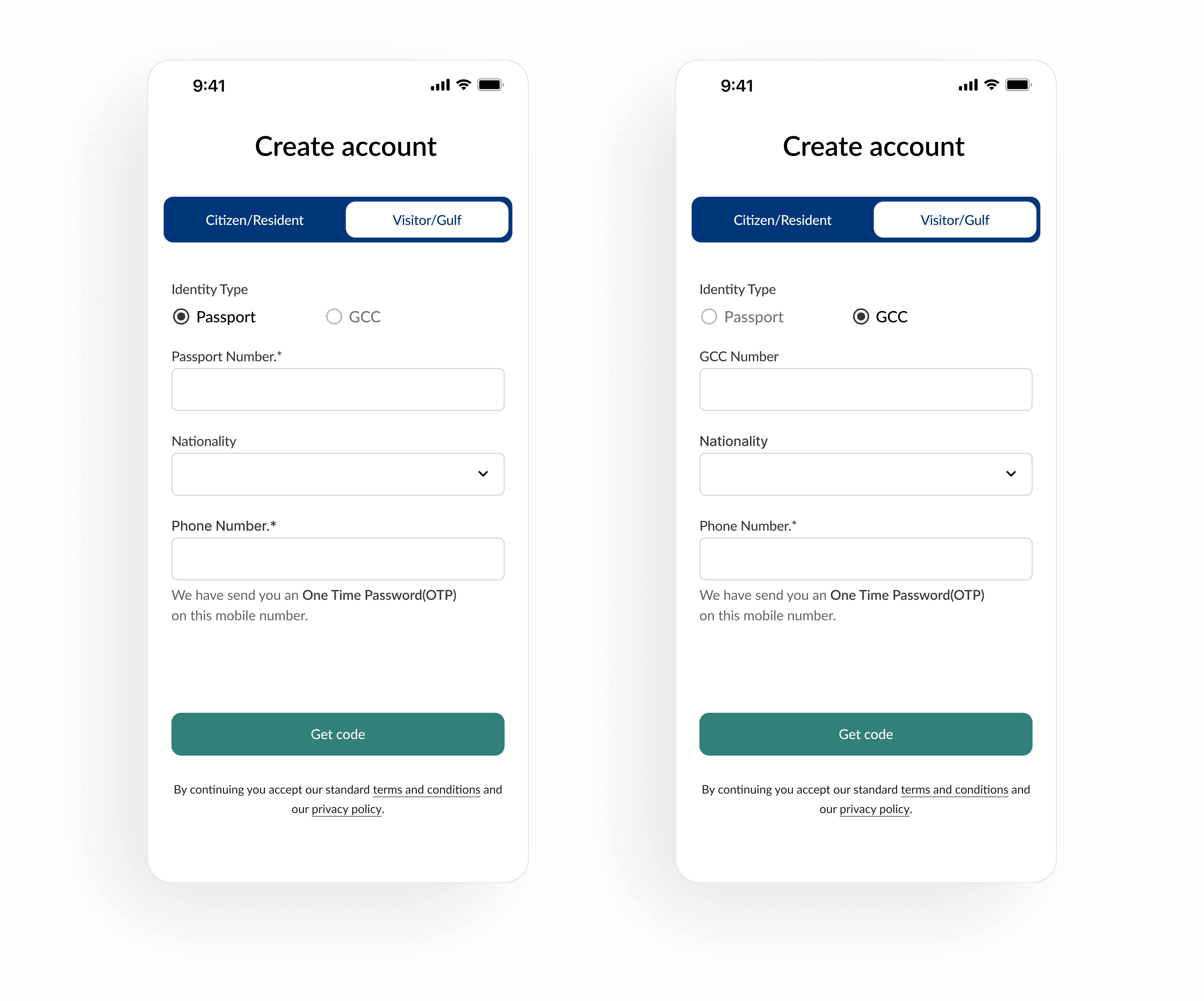
Citizen/Resident & Visitor/Gulf Registration: Split user flows to reduce friction; used ID types like National ID, Passport, GCC.
OTP Verification: Secure 6-digit login for all users; clear timer and resend logic.
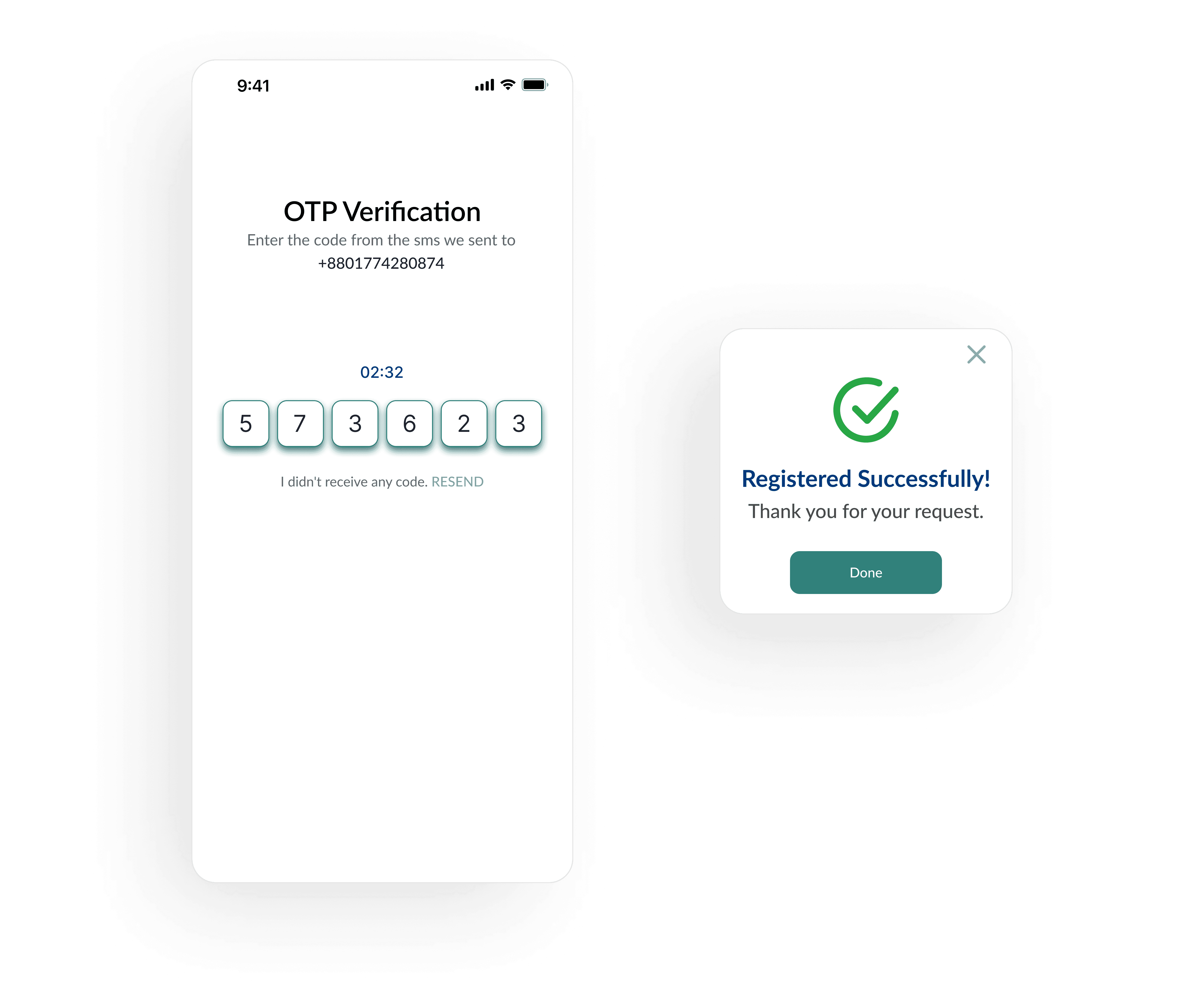
Success Modals: Confirmed task completion with green check visuals.
✅ Citizen & Visitor Login
Login Splash: Reuses branded screen to maintain trust and familiarity.
OTP Login Screen: Valid for 3 hours; provides secure and seamless entry point.
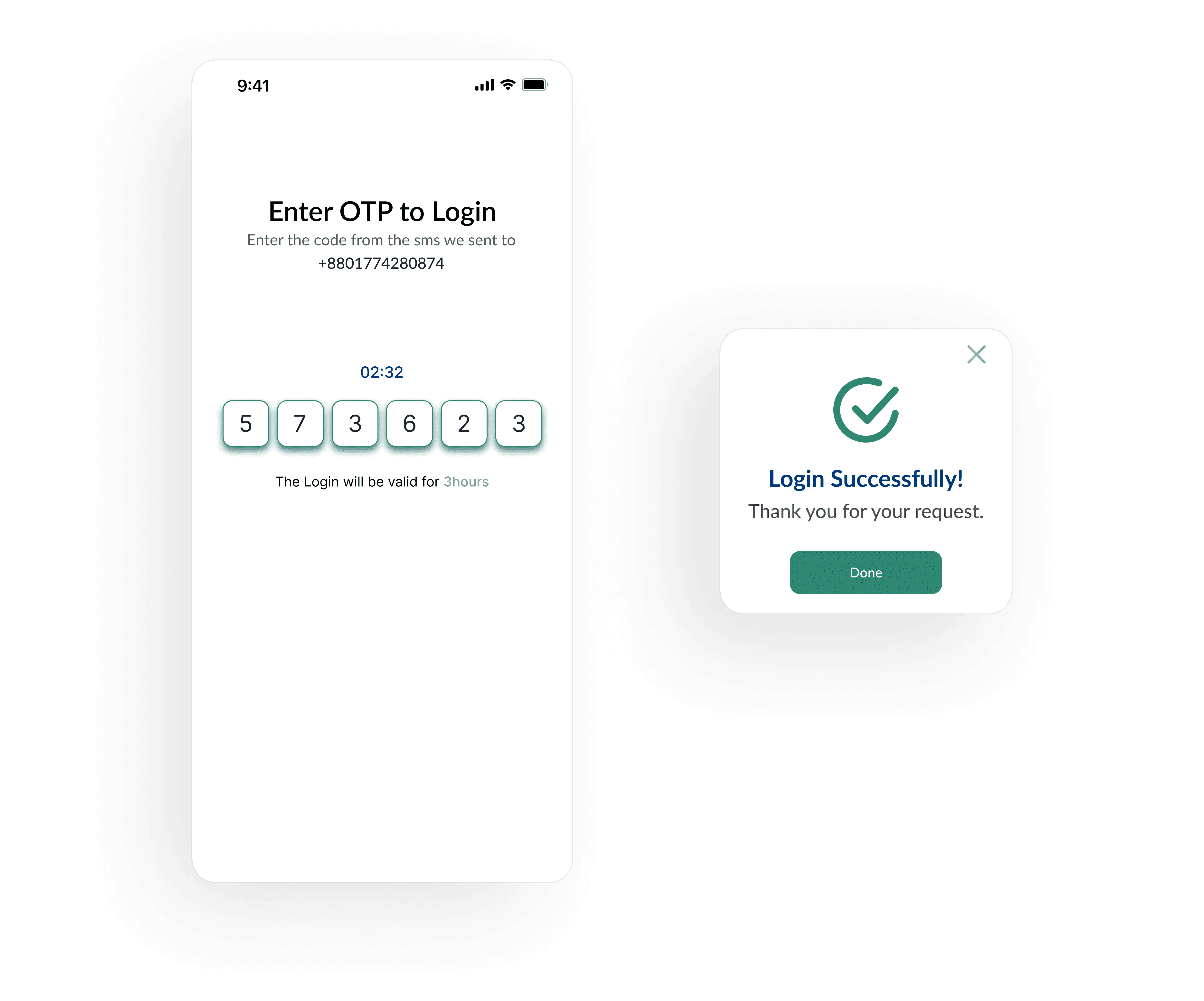
Login Success: Reassures users with confirmation modal for successful login.
✅ Home & Navigation
Home Page: Quick access to Visitor or Vendor Management; shows number of upcoming appointments.
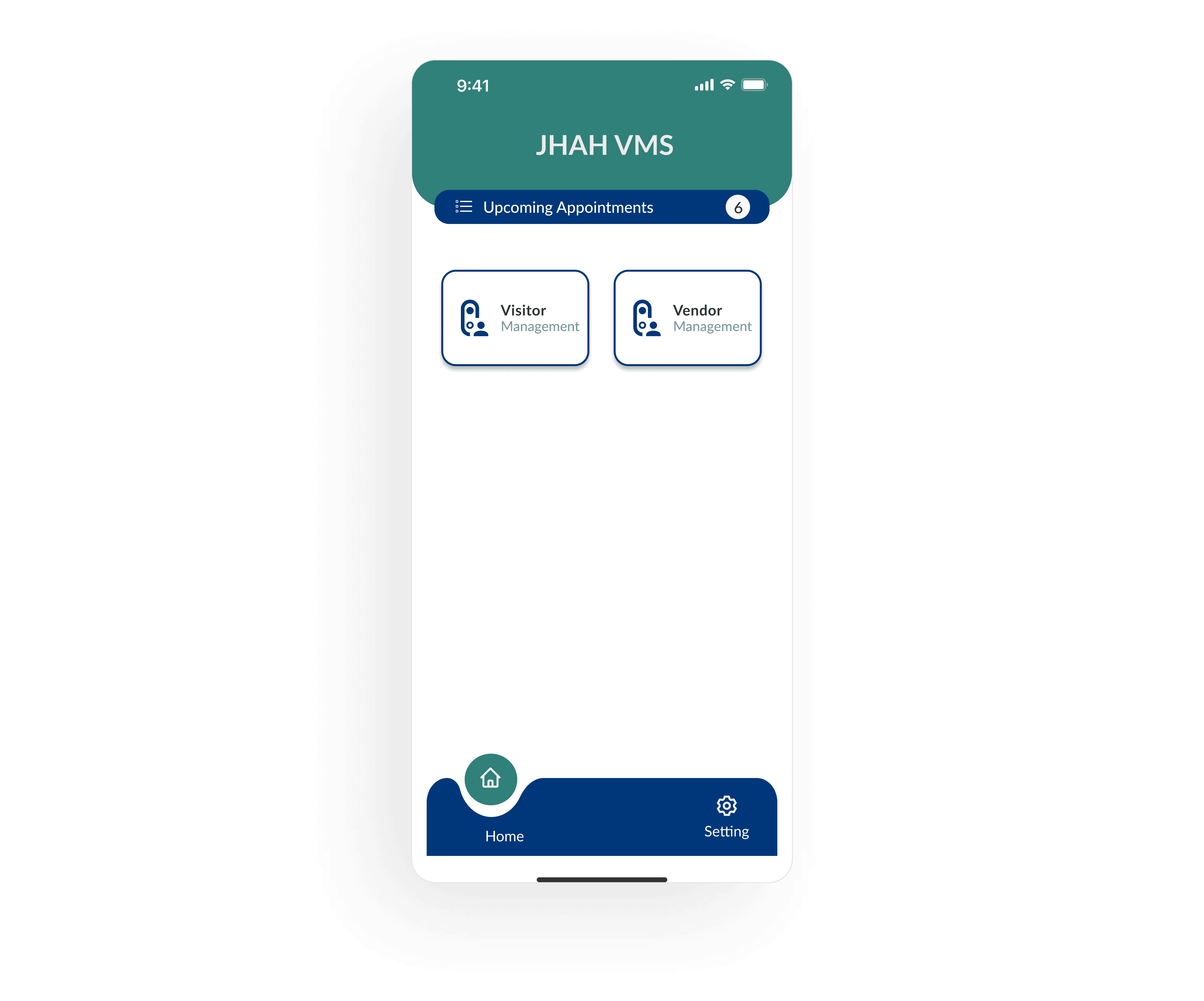
Bottom Navigation: Kept minimal (Home, Settings) to reduce cognitive load.
✅ Request Creation
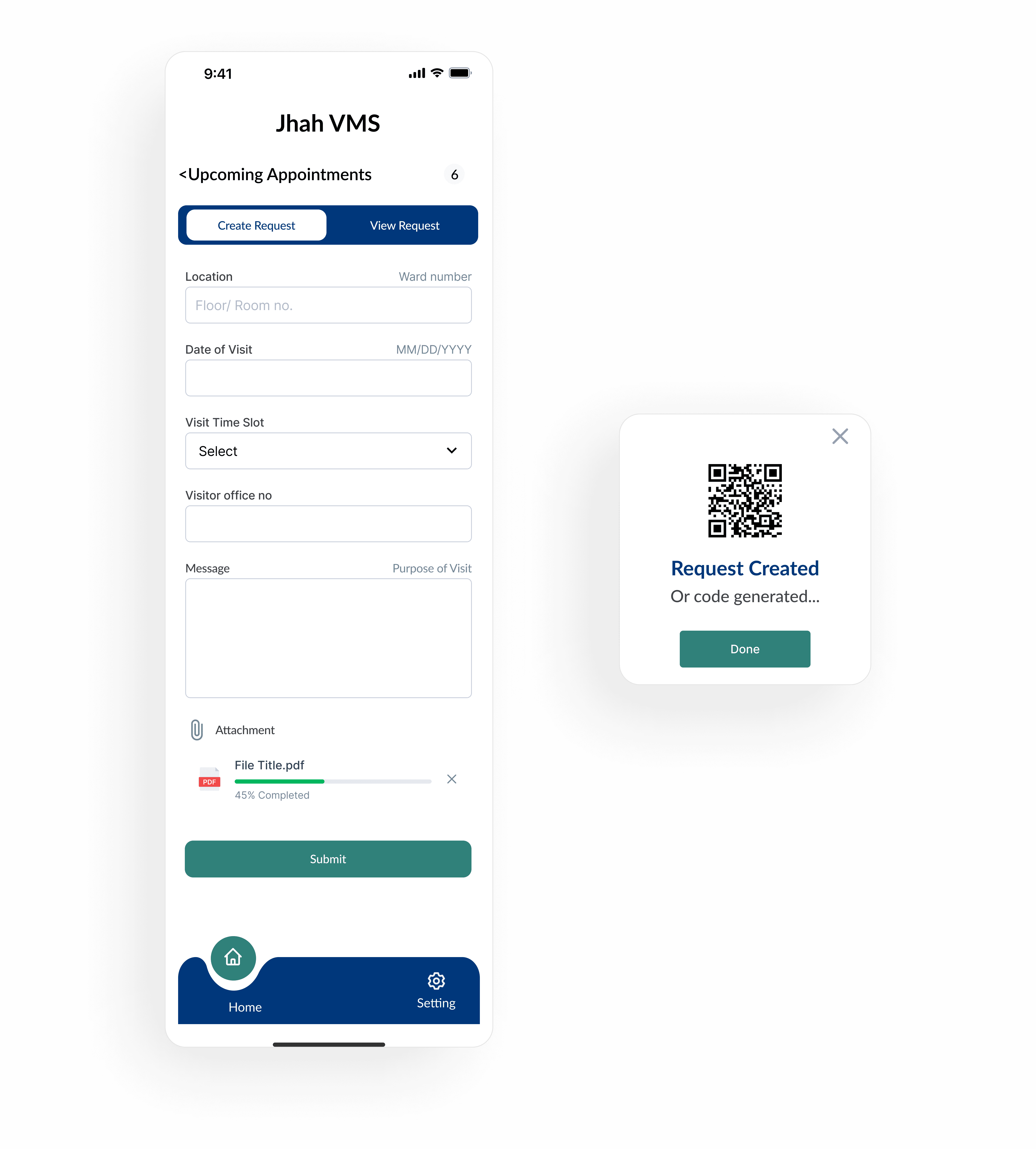
Visitor Flow: Inputs for patient ward, visit time, and phone number; generates QR code after submission.
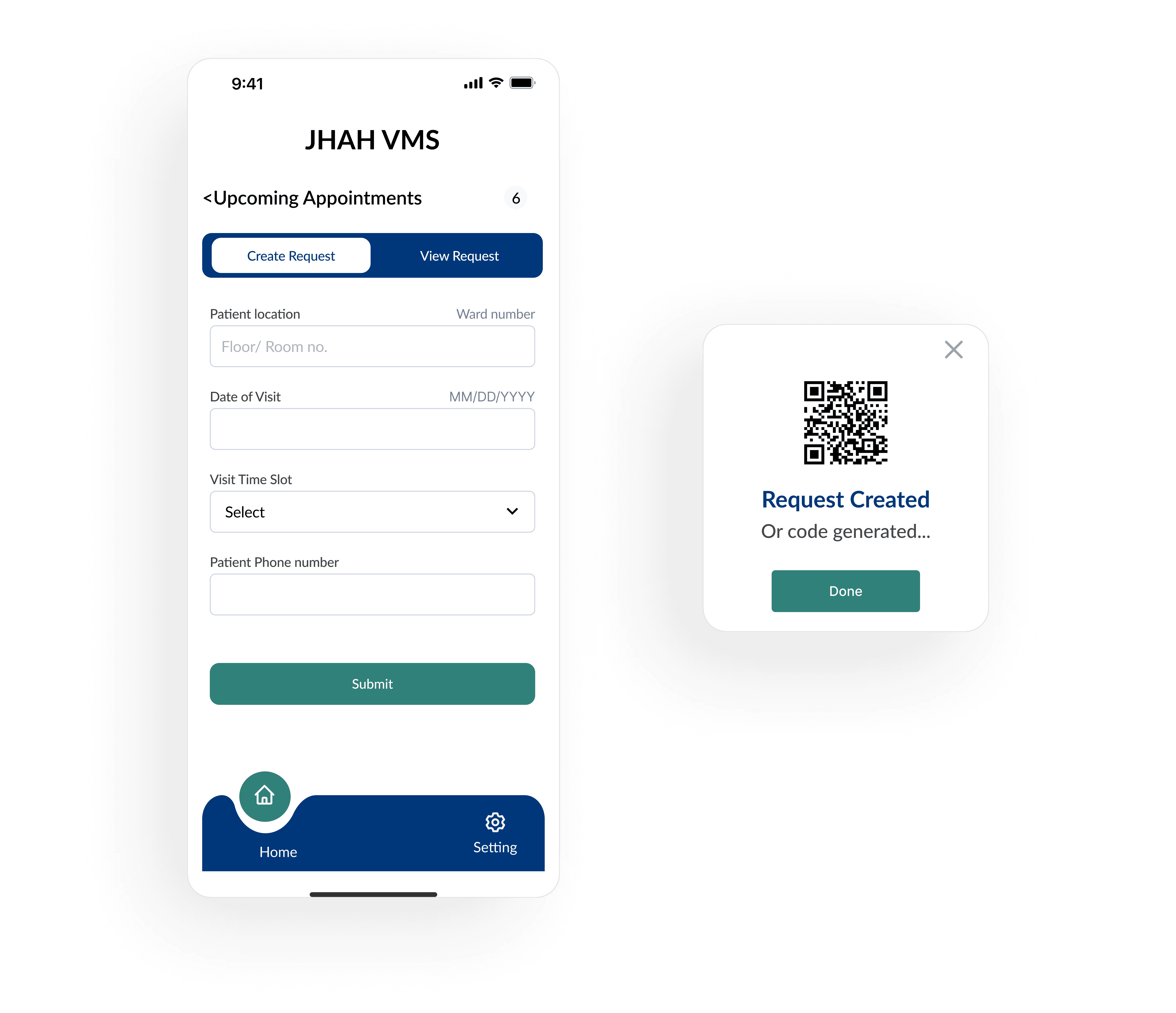
Vendor Flow: Includes office number, purpose of visit, and document attachment for internal approvals.
✅ Appointment Tracking
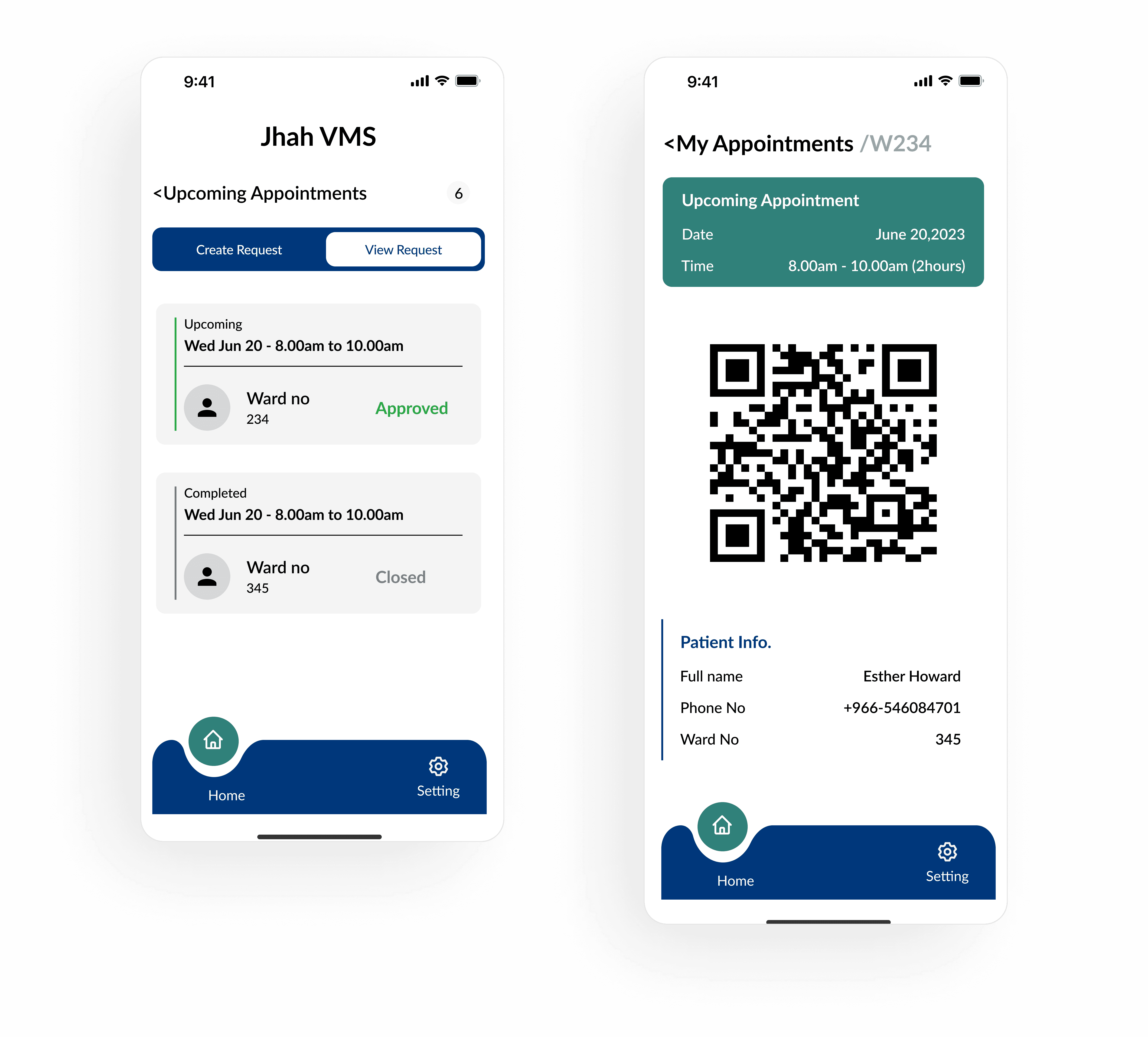
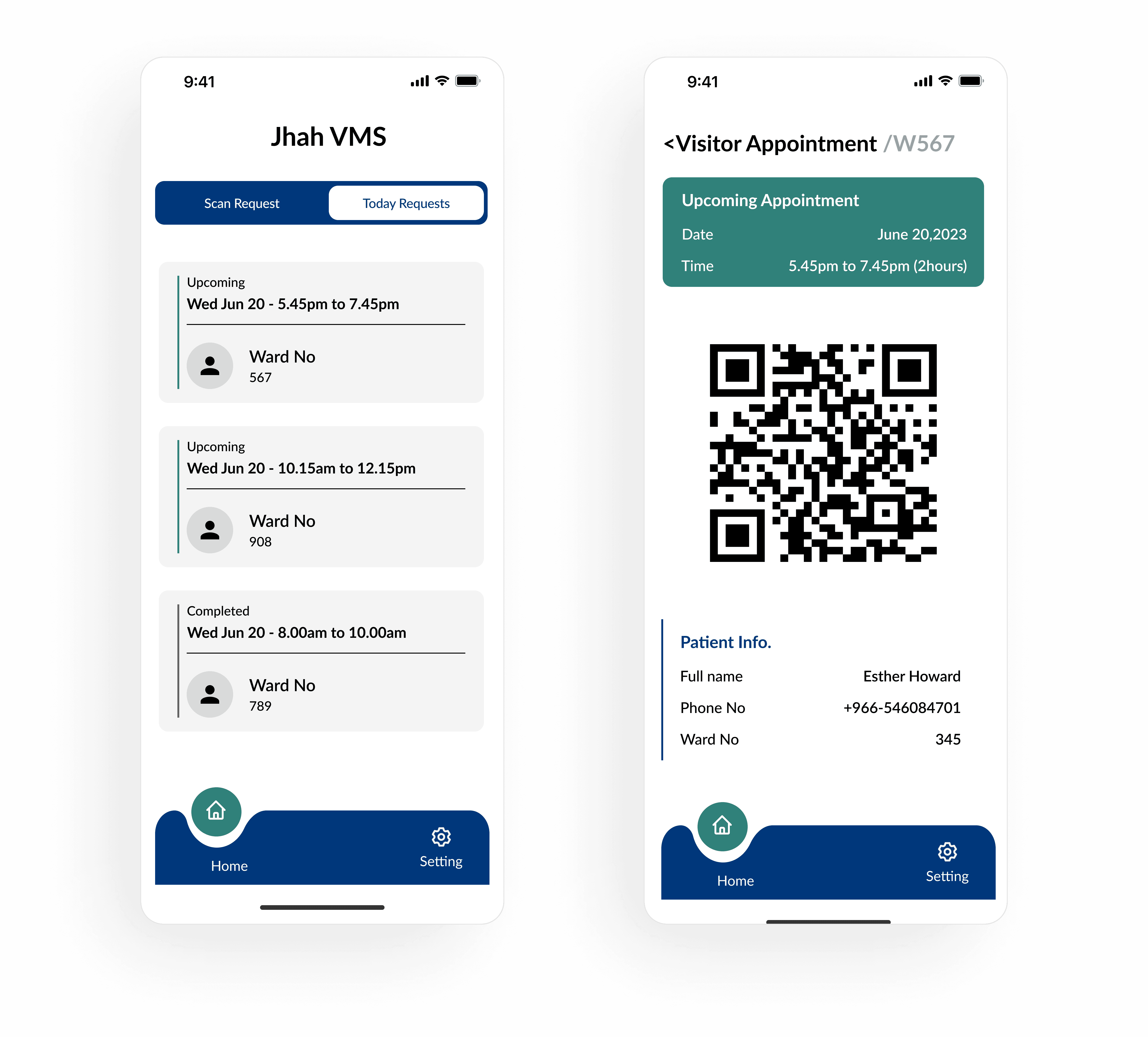
Visitor – View Request: View upcoming, approved, or completed visit requests with patient QR and info.
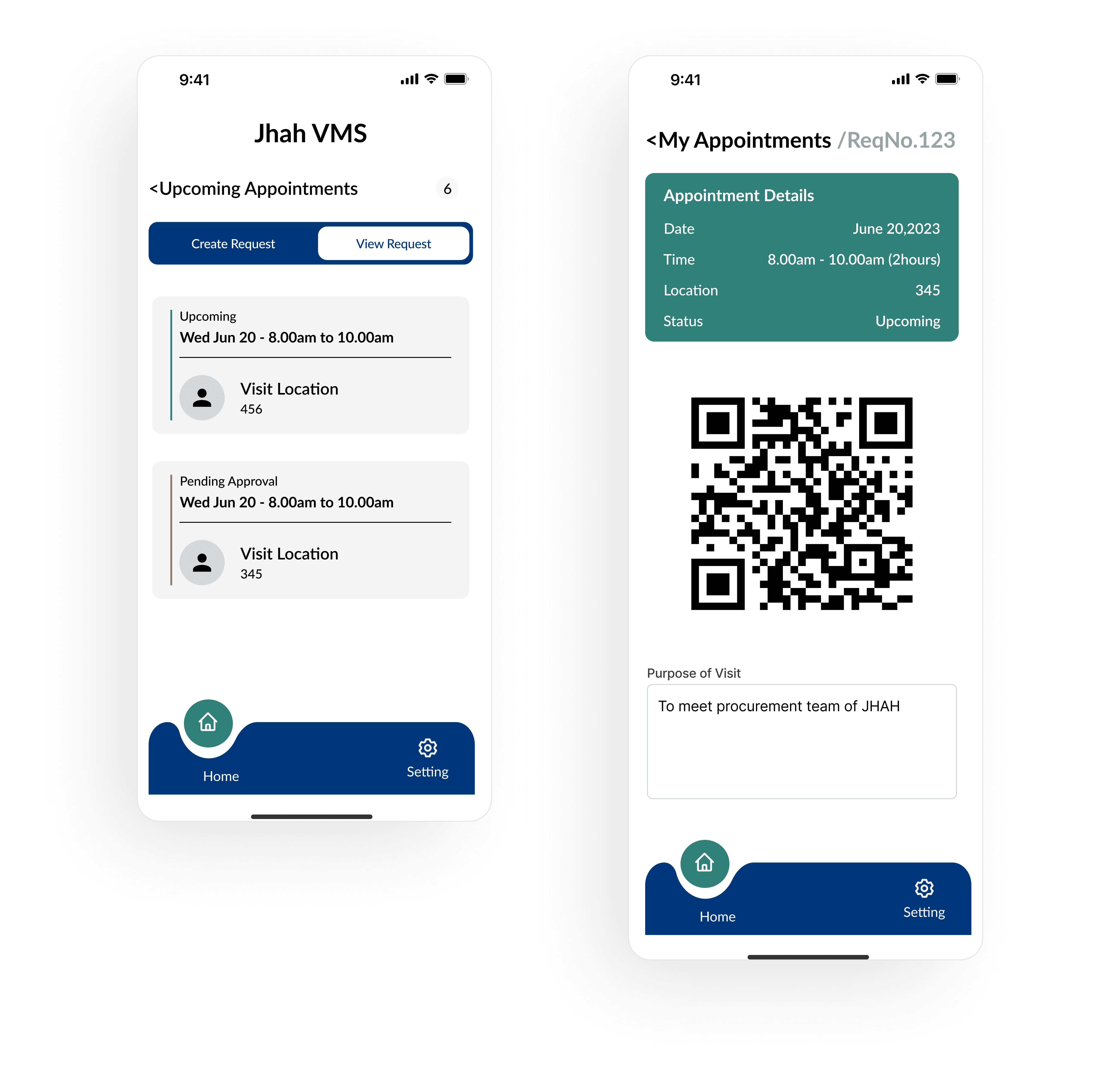
Vendor – View Request: View purpose, status, and scan-ready QR with departmental visit details.
✅ Admin Experience
Admin Login & OTP: Uses same OTP verification flow with login validity timer.
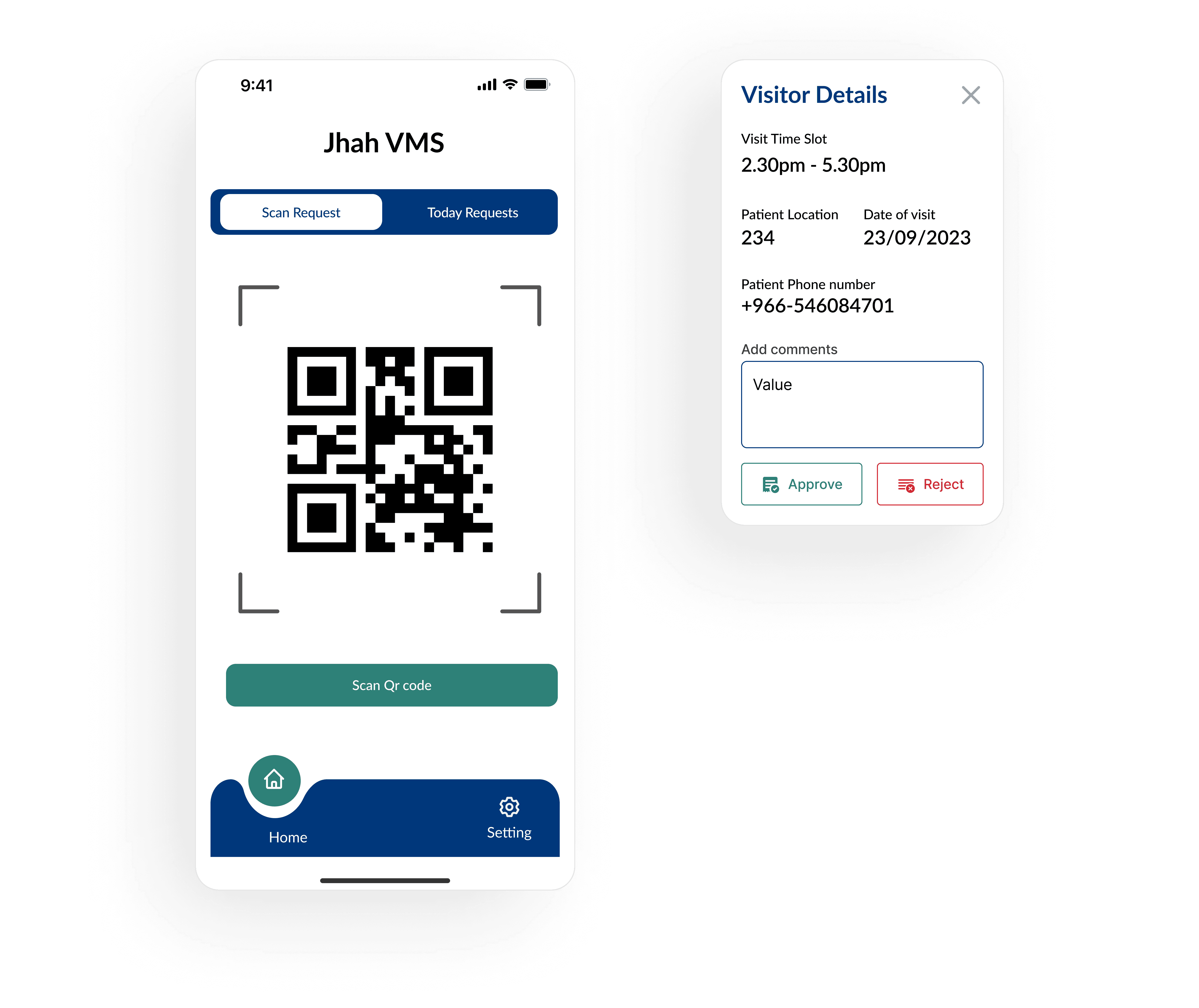
Scan Request Screen: Guards scan visitor QR and approve/reject instantly with full visit context.
Today’s Requests: Admins can view and monitor all appointments for the day, grouped by time and status.
Results & Reflections
The app reduced manual workload at the gate and helped avoid entry congestion.
Visitors could self-manage appointments, vendors could upload documents, and admins could review all from one app.
I learned how to structure role-based flows, create reusable UI patterns, and balance usability with security.